
Email Marketing Software
Rethinking how nonprofit teams create, manage, and send emails.

Brick River's original mass emailer had several limitations, including deliverability issues, an outdated editor, and difficulty creating professional emails without time-consuming workarounds or custom code.
I redesigned the email platform to address these challenges, introducing a modern editor and a clearer, step-by-step workflow for creating and managing campaigns. The project also made it easier to reuse templates, add existing content, and create emails that display consistently across devices and email clients.
Design ChallengeTransforming an outdated mass emailer into a modern, reliable, and intuitive email platform.
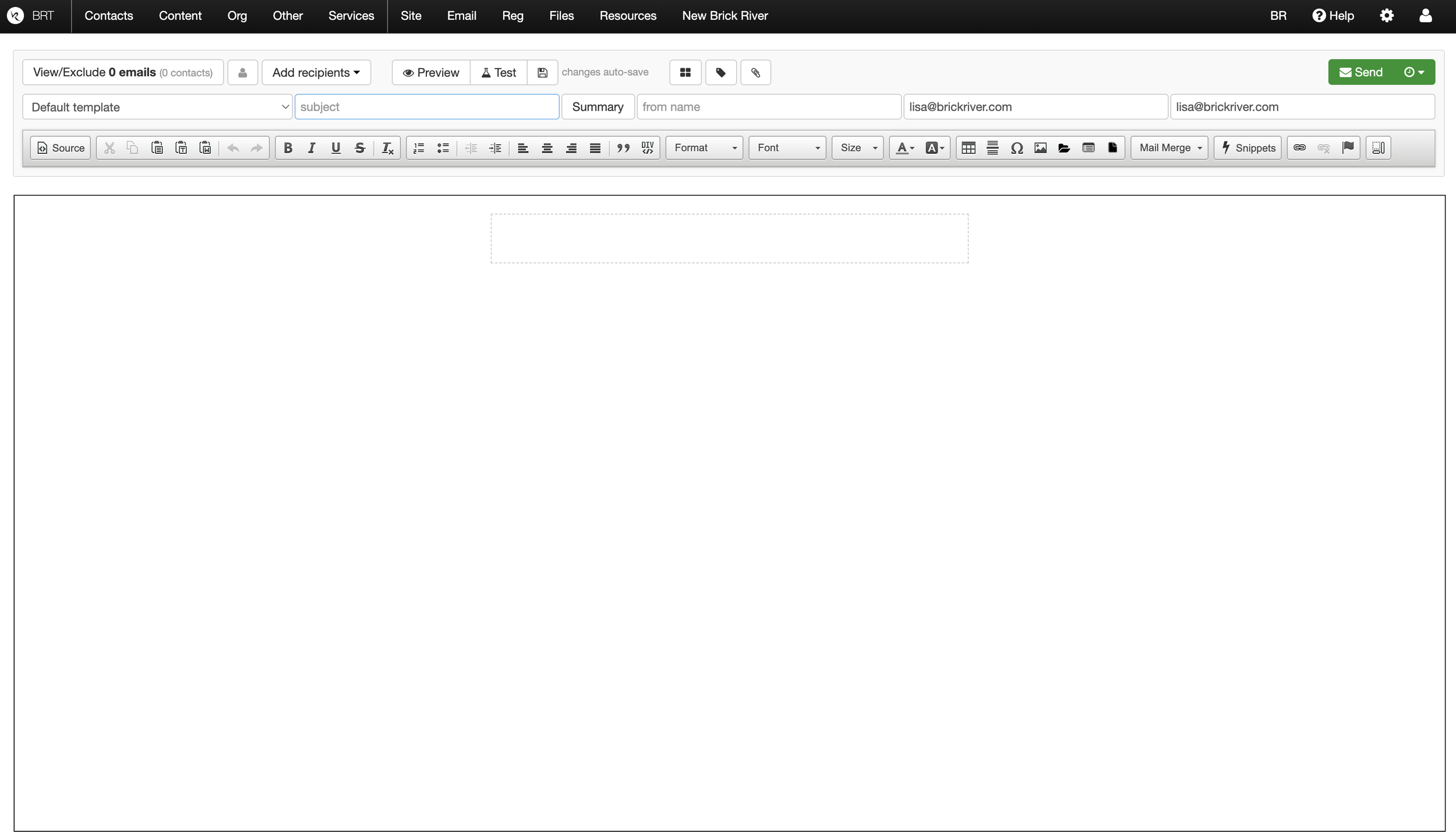
Before
No clear workflow for creating, testing, scheduling, or sending emails
Required technical workarounds to format content
Difficult to find templates or reuse existing content
After
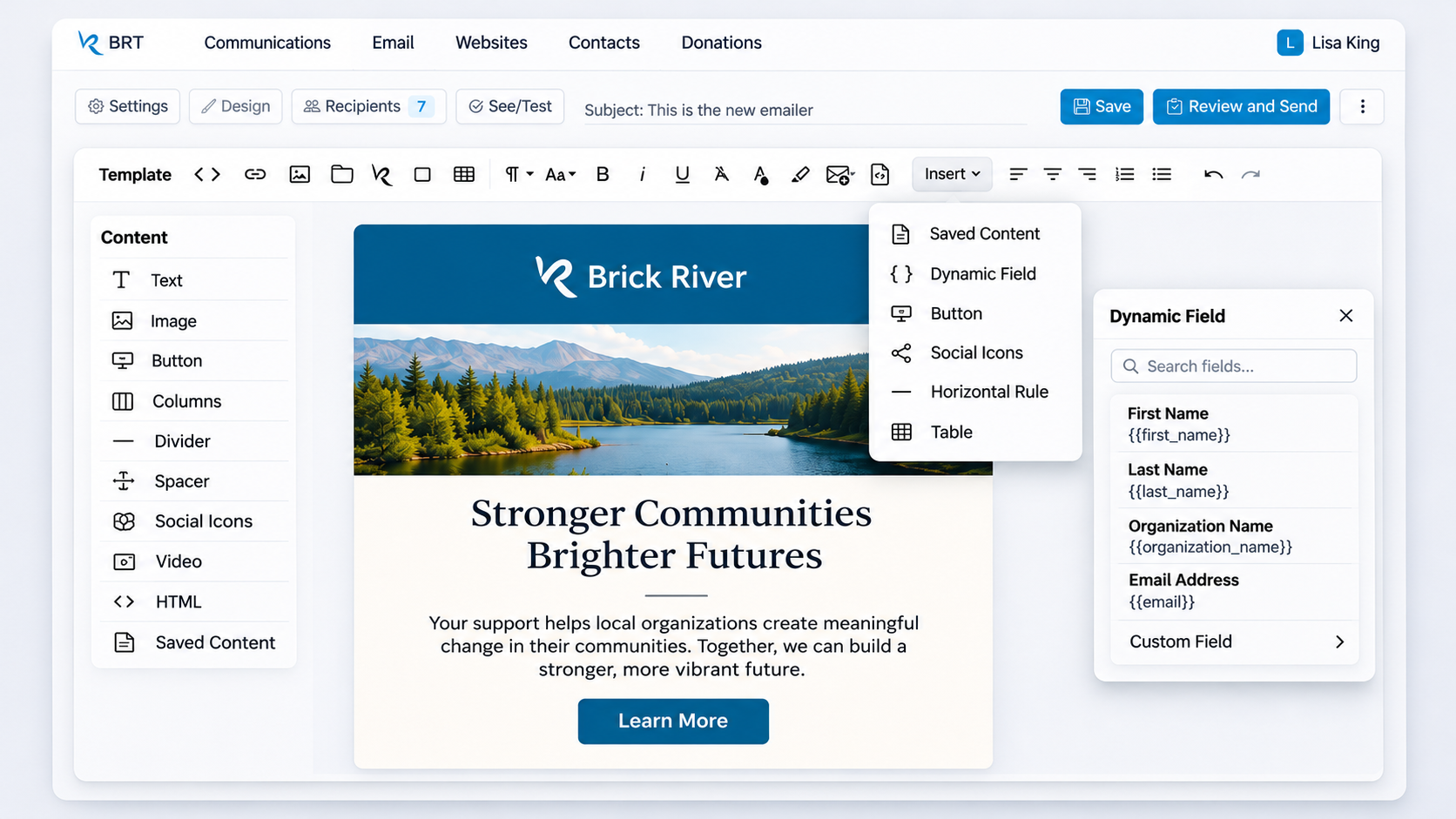
Guided, step-by-step workflow from setup to sending
Modern editor with built-in formatting and content tools
Reusable templates, snippets, and buttons
Updated, more consistent interface
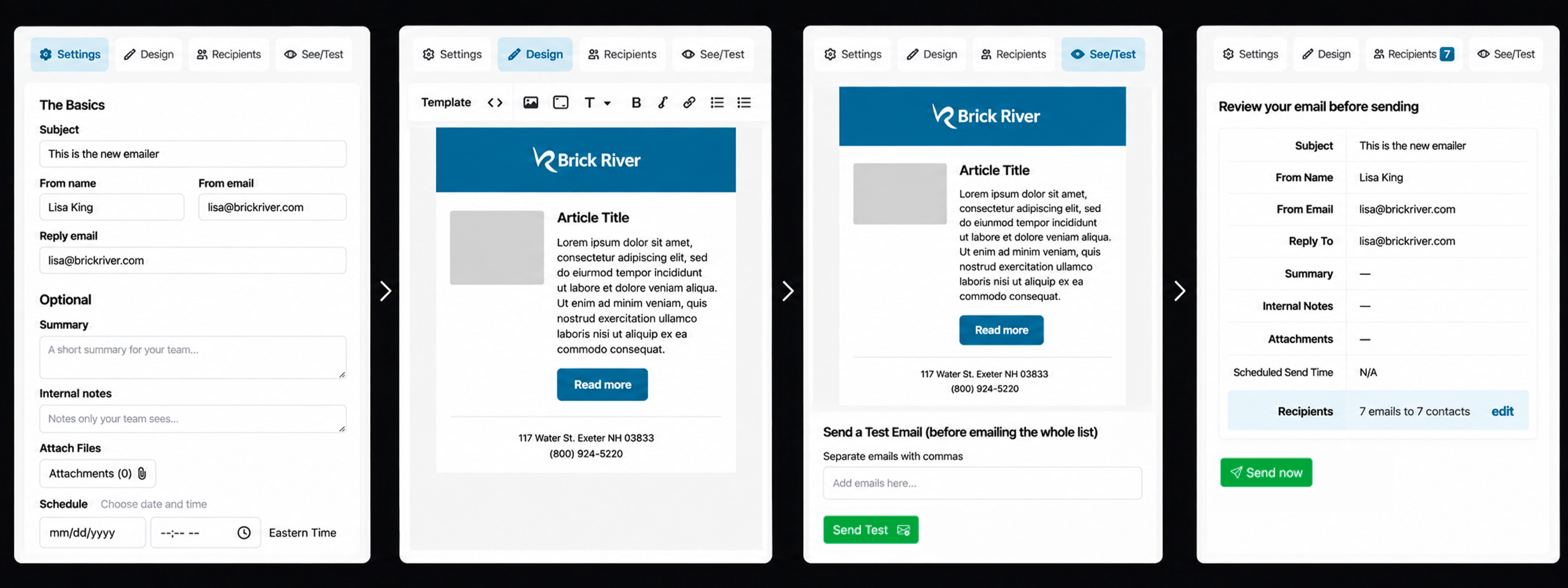
Streamlined User Flow
Settings
Configure sender details, subject, attachments, and scheduling.
Design
Build and customize emails with reusable content tools.
Preview & Test
Preview content and send test emails before distribution.
Review & Send
Confirm recipients and email details before sending.
Inside the Email Editor
Platform Capabilities
Drop in Content
Pull existing CMS content directly into emails with customizable layouts.
Reusable Email Snippets
Reuse prebuilt content to save time and maintain consistency.
Custom Branded Emails
Let users create emails that match their organization’s visual identity.
Mail Merge & Personalization
Insert dynamic fields to personalize emails with recipient-specific information.
Responsive
Templates
Start with prebuilt templates to create professional, consistent emails faster.
Email Scheduling
Schedule campaigns to send at a later date and time.
Designing for Email Compatibility
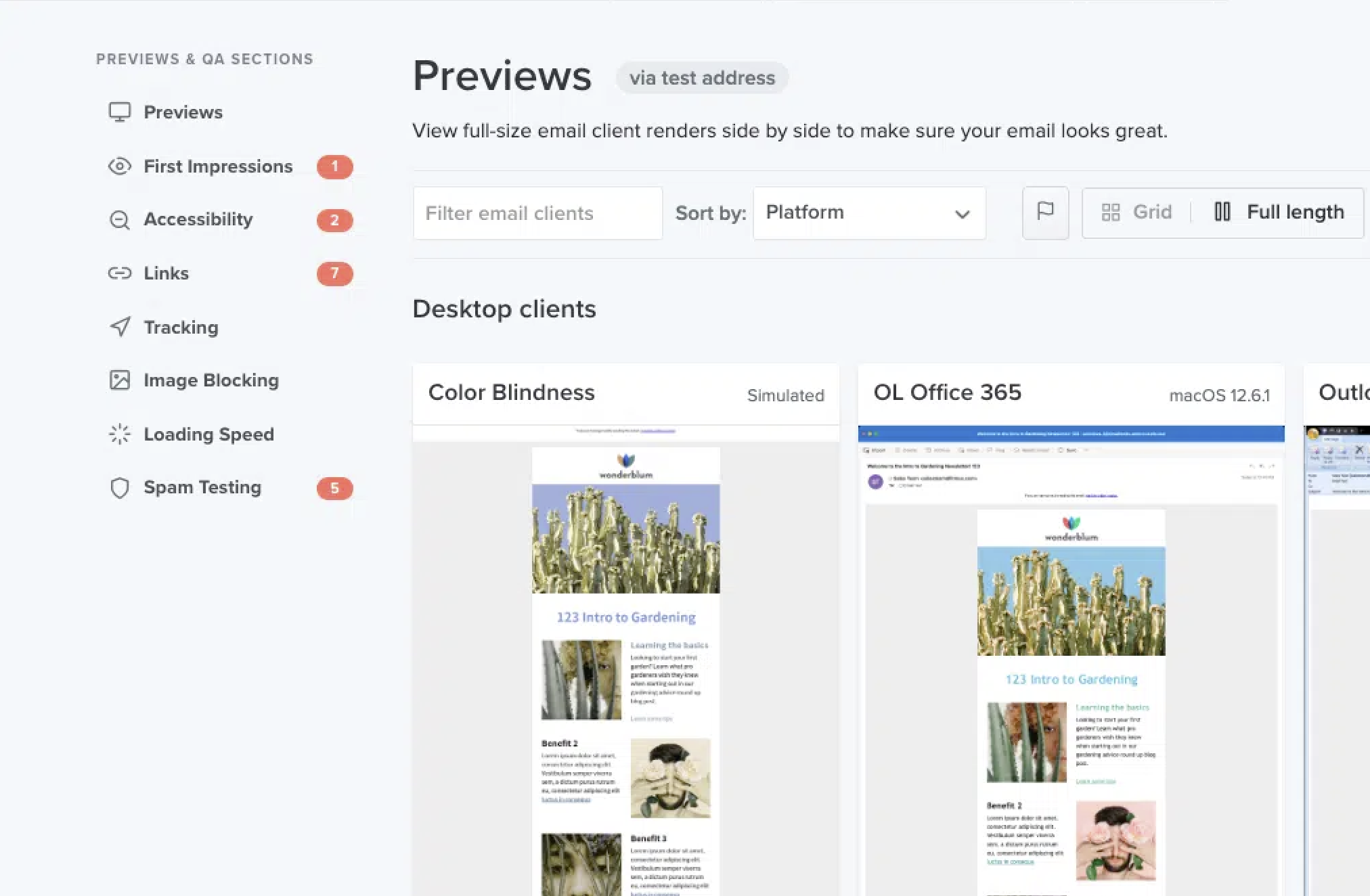
Email design presents a unique challenge: an email that looks correct in one client may break in another.
I developed responsive, email-safe HTML and CSS patterns and tested thousands of emails using Litmus and manual testing across Outlook, Gmail, iOS Mail, and other major clients.
ConclusionWhat previously required technical knowledge and workarounds became a more straightforward process. Nonprofit teams could create, customize, and send professional emails using tools built directly into the platform.
The result was a clearer, more flexible experience that better supported how organizations manage their communications.